

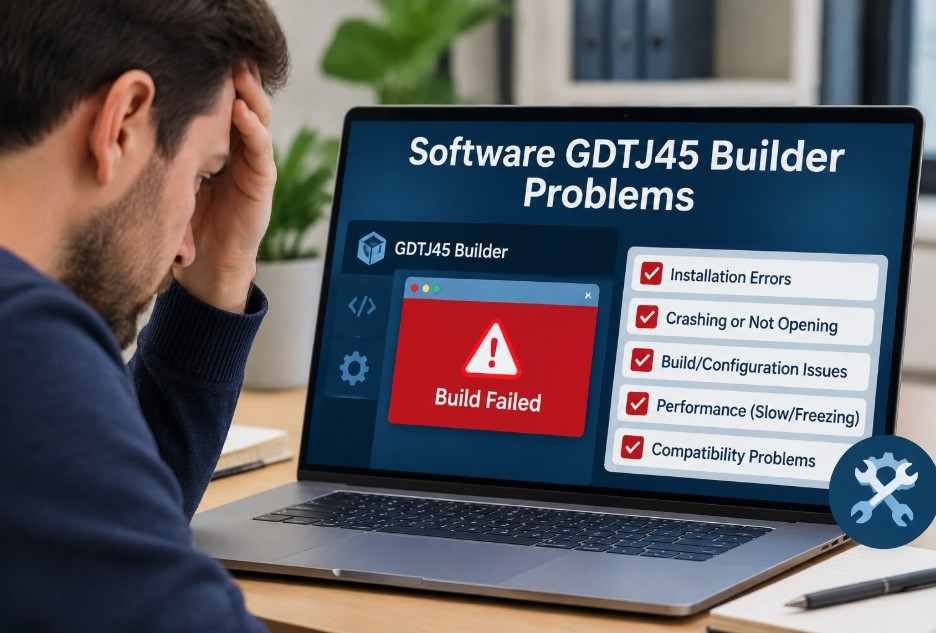
Software problems can interrupt your workflow, postpone essential initiatives, and create pointless frustration. Whether an software refuses to open, an set up receives caught, or a project fails all through processing, figuring out the real cause is the first step towards resolving it. Many customers searching for software gdtj45 builder problems need trustworthy reasons and practical troubleshooting recommendation rather than complicated technical commands.
Before troubleshooting, but, it is crucial to apprehend that publicly available statistics approximately GDTJ45 Builder is restrained. Its professional developer, demonstrated documentation, and supported machine requirements could not be independently set up. Therefore, the following manual focuses on popular builder-software program troubleshooting in place of offering unverified problems as showed product defects.
What Is GDTJ45 Builder Software?
GDTJ45 Builder is a software program call mentioned across numerous on-line articles, with descriptions suggesting a connection to building or development workflows. However, there’s no independently demonstrated legitimate product documentation setting up its actual capabilities or functionality.
When investigating an strange software program utility, customers ought to first verify its writer, set up source, model statistics, and intended cause.
Understanding those details enables prevent confusion among genuine technical troubles and troubles caused by unofficial downloads or wrong installation commands.
Common Software GDTJ45 Builder Problems
Different styles of software can experience similar technical difficulties. If you stumble upon issues with an application diagnosed as GDTJ45 Builder, do not forget the following standard possibilities.
1. Installation and Setup Errors
Installation problems can arise when setup documents are incomplete, working machine permissions are confined, or required additives are unavailable.
Possible caution signs encompass:
-
Installation preventing before final touch.
-
Unexpected setup mistakes messages.
-
Missing utility documents.
-
Installation applications failing to release.
What to test: Verify the download supply and writer earlier than jogging the installer. Check the mistake message and verify that your tool meets the utility’s documented necessities.
2. Software Not Opening or Crashing
An application that closes at once after launching can imply broken documents, compatibility conflicts, or problems with supporting components.
Try these fundamental exams:
-
Restart your pc.
-
Check whether or not the utility has an lively background procedure.
-
Review latest working gadget updates.
-
Check available device resources.
-
Record any blunders message displayed all through startup.
Avoid reinstalling immediately. First identify whether or not the trouble started out after a selected update or configuration alternate.
3. Build and Configuration Errors
Builder-fashion programs can also stumble upon problems when task settings, document places, or required dependencies are incorrectly configured.
For instance, a project would possibly fail to manner because a required report is lacking or a configuration value does not match the predicted layout.
Check the applicable configuration documents, verify task paths, and evaluate available error logs before converting settings.
4. Slow Performance and Freezing
Performance problems can make software hard to apply, specially when processing huge projects or a couple of obligations.
| Possible cause | Recommended check |
|---|---|
| Low available memory | Close useless applications |
| Limited storage | Check to be had disk space |
| Background processes | Review strolling applications |
| Outdated components | Check verified replace information |
| Large mission files | Test with a smaller challenge |
These exams can help pick out whether the issue comes from the tool, challenge, or software surroundings.
5. Compatibility and Dependency Issues
Some programs depend on specific working system variations, runtime additives, or helping libraries.
If the software program stops working after a device update, compatibility must be investigated. Check the publisher’s documentation for supported variations instead of putting in random alternative components.
How to Troubleshoot Software GDTJ45 Builder Problems
A systematic troubleshooting procedure is more effective than trying more than one fixes with out expertise the cause.
Follow those steps:
Step 1: Identify the precise issue
Determine whether or not the utility fails at some point of installation, startup, assignment processing, or saving.
Step 2: Record the error message
Take a screenshot or write down the entire error. This records can assist discover the affected issue.
Step three: Verify the installation supply
Check the publisher’s identification and virtual signature. Avoid unexpected websites offering unofficial installers or restore utilities.
Step 4: Check machine compatibility
Review the running system, available garage, reminiscence, and documented software program necessities.
Step 5: Test one trade at a time
Make a unmarried adjustment, repeat the original action, and file the end result. This makes figuring out the underlying reason less difficult.
Step 6: Protect vital task files
Create a backup before deleting brief files, converting configurations, or reinstalling packages.
How to Prevent Future Software Issues
Preventive maintenance can reduce pointless interruptions and defend important work.
Consider following these practices:
-
Keep your running system and relied on programs up to date.
-
Download software simplest from verified publishers.
-
Maintain sufficient storage space.
-
Back up crucial challenge files frequently.
-
Avoid installing unknown extensions or additives.
-
Document configuration modifications.
-
Review errors logs whilst sudden failures arise.
These conduct are useful for retaining a strong software surroundings, even when the precise utility or its technical requirements are not completely hooked up.
Frequently Asked Questions
Why is GDTJ45 Builder now not operating?
There is inadequate verified product statistics to perceive a selected reason. Start through checking the set up source, utility model, errors messages, and gadget compatibility.
Is GDTJ45 Builder secure to download?
Its legitimate publisher and established installer couldn’t be set up. Avoid downloading files from surprising web sites till their authenticity and security may be showed.
Can installation errors be constant with out reinstalling?
Sometimes. Checking permissions, set up files, gadget compatibility, and to be had storage may additionally help become aware of the difficulty with out reinstalling the utility.
What must I do if the application maintains crashing?
Record the mistake, test latest machine modifications, restart your device, and evaluation available software logs. Back up crucial documents before trying repairs.
Final Thoughts
Dealing with software gdtj45 builder problems requires endurance and a structured method. Installation disasters, compatibility conflicts, configuration mistakes, and overall performance problems are not unusual troubleshooting classes across many software program applications.
However, figuring out the actual application and verifying its source ought to continually come earlier than attempting technical fixes. Avoid unsupported repair tools, guard your project files, and depend upon established documentation whenever feasible. A cautious approach allow you to investigate software program troubles without developing extra issues.
Upgrade Oxzep7 Python: A Complete Guide to Installation, Updates, Performance and Troubleshooting







Leave a Reply